Family safety for iPhone and Android
Kids GPS Tracker App
Children grow up and go further. KidsRadar is the simple way to know they got there safely.


Free to install. Premium offers a 7-day free trial.
 Mia
Mia Leo
Leo Noah
Noah
Everything a parent needs, in one place
Location, alerts and phone habits sit side by side, so you check one app instead of five.

Real-time location
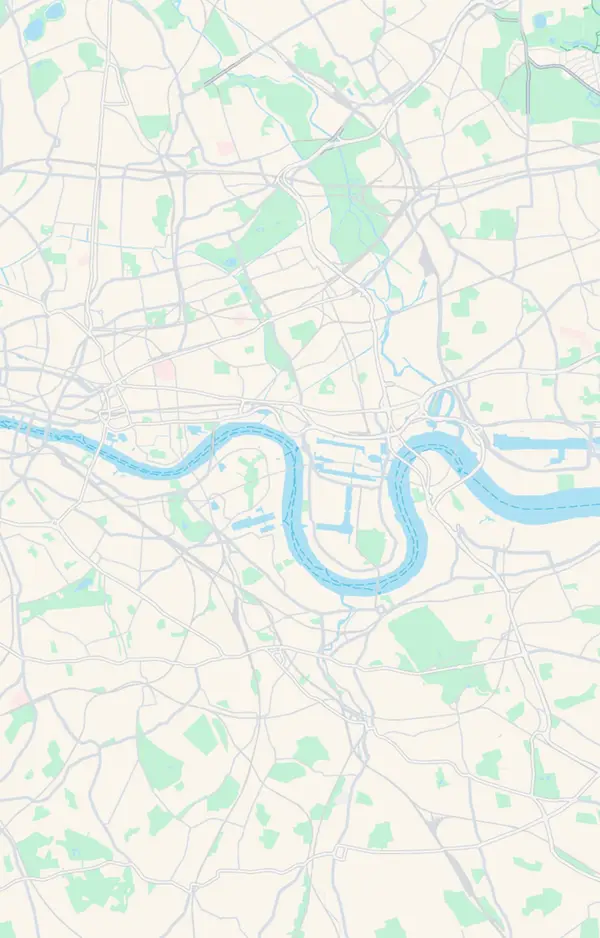
See where your child is on the map, with their battery level and when the location was last updated.
Premium
Places
Save home, school and other important places. You get a notification when your child arrives or leaves.

Location history
Look back at your child’s route through the day on the map.
Premium
Super Signal
Send a loud alert to your child’s phone, even if it is on silent mode, when they are not responding.
Premium
SOS Signal
Your child can send an SOS from their phone. Every parent in the family gets an urgent alert with the child’s location.

Screen time and app limits
See how long your child spends in each app, set daily limits and block individual apps.
Premium
Unknown Numbers Protection
On supported Android phones, calls from numbers that are not in your child’s contacts can be screened automatically.
Premium
Battery and device status
Each child’s card shows the phone’s battery level and when it was last seen online.
Built for families
Set up together, used with care
KidsRadar is meant for the safety of children in your own family. Child mode is installed and paired on your child’s phone, and the app says it plainly: children have the right to privacy and personal space.
- Pairing uses a code you enter on your child’s phone, where the permissions are granted.
- Live Audio may ask your child to accept a prompt on their phone before listening starts.
- Your child has their own SOS button, so the app works for them too.



Set up in three steps
-
Install KidsRadar on your phone
Choose the Parent role and create your account.
-
Install it on your child’s phone
It is the same app. Choose the Child role there. It works between iPhone and Android.
-
Pair the two phones
Enter the pairing code on your child’s phone, grant the permissions the app asks for, and add your first Places.
Start free. Upgrade when you need more.
Subscriptions are billed and managed by the App Store or Google Play, and can be cancelled there at any time.
Free
The basics, for as long as you like
$0
No subscription needed
- Parent mode and Child mode, paired with a code
- Your child’s current location and recent points
- 2 Places with arrival and departure alerts
- SOS alerts
- Battery and device status
Premium
7-day free trialEverything in Free, plus the full set of tools
Monthly price$12.99 $7.50 a month
Billed as $89.99 once a year. Save 42%
- Real-time location updates
- Detailed location history and routes
- App usage, screen-time limits and app blocking
- Super Signal and Live Audio
- Blocking unknown callers
- Messaging between parent and child
Prices are for the United States. Elsewhere the App Store or Google Play shows the price in your local currency before you confirm.
Questions parents ask
How is KidsRadar set up on my child’s phone?
You install the same app on your child’s phone, choose the Child role and enter a pairing code from your own phone. The permissions are granted on the child’s phone during setup, so it is something you do together.
Does it work if I have an iPhone and my child has an Android phone?
Yes, the two phones can be on different systems. A few things work differently when the child has an iPhone: call history and blocking unknown callers are not available, apps to block are chosen on the child’s iPhone through Apple Screen Time, and the home-screen SOS widget is Android only.
What is free and what is Premium?
Without Premium you can pair phones, see your child’s current location and recent points, save 2 Places with arrival and departure alerts, and receive SOS alerts. Premium adds real-time location updates, detailed routes, app usage and limits, app blocking, Super Signal, Live Audio, blocking unknown callers and messaging.
How much does Premium cost?
Premium costs $12.99 a month, or $89.99 a year, which works out at $7.50 a month and saves 42%. Both prices are for the United States and include a 7-day free trial. In other countries the App Store or Google Play shows the price in your local currency on the upgrade screen before you confirm.
Can I listen to what is happening around my child?
Live Audio lets you listen to the sounds around your child’s phone. For privacy and safety, listening may require your child to accept a prompt on their phone before audio starts. Sessions have a time limit and end automatically.
Is KidsRadar an emergency service?
No. KidsRadar is a family-support tool. Location, alerts and device status may be delayed or unavailable. In a real emergency, always contact your local emergency services directly.
Set it up tonight, together with your child